Care between visits, in one place
Your programme, your team, your trackers, all connected from day one.
You receive a patient number at your first consultation. Use it to access guided protocols, treatment explanations, daily trackers and secure messaging, all prepared by your Meridian team and updated to match where you are in care.
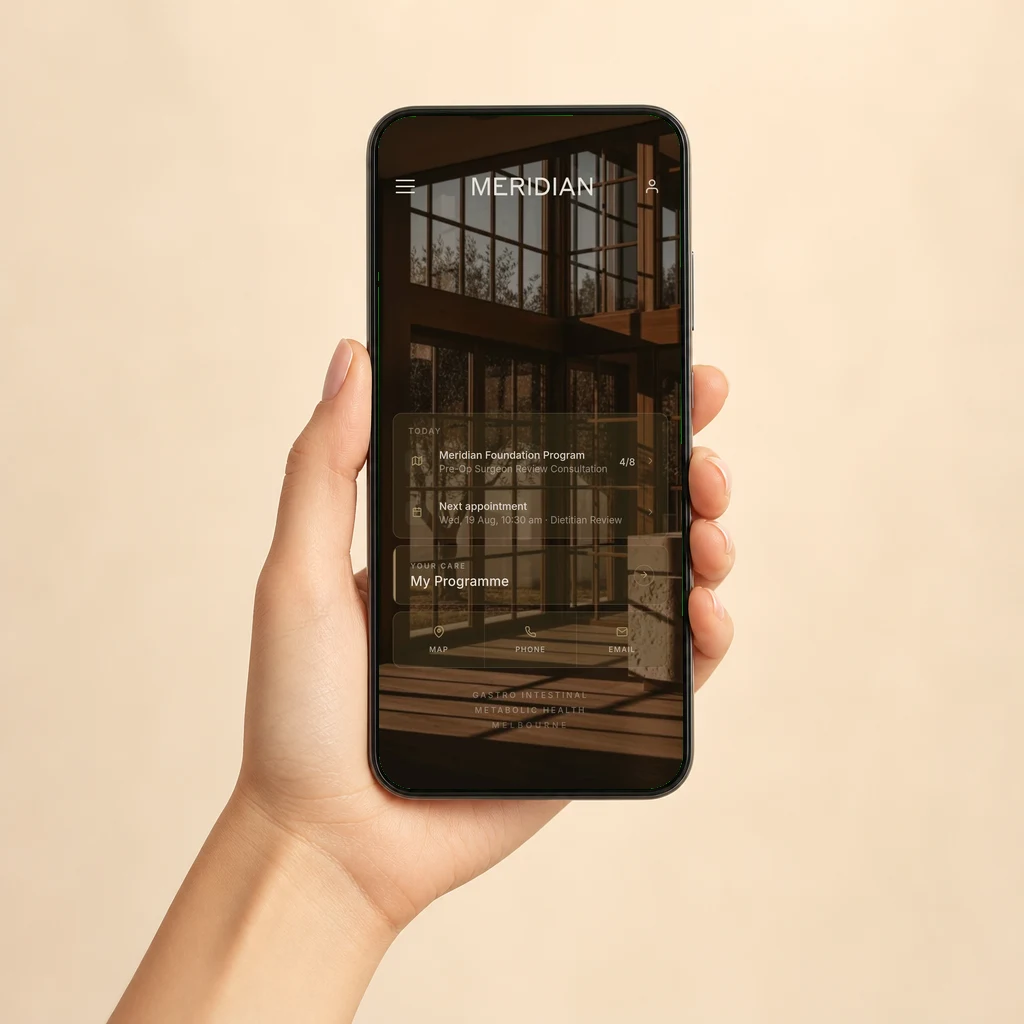
Everything your care needs, in one place
The Meridian app holds the parts of treatment you would otherwise carry on paper, in your inbox, or in your head.
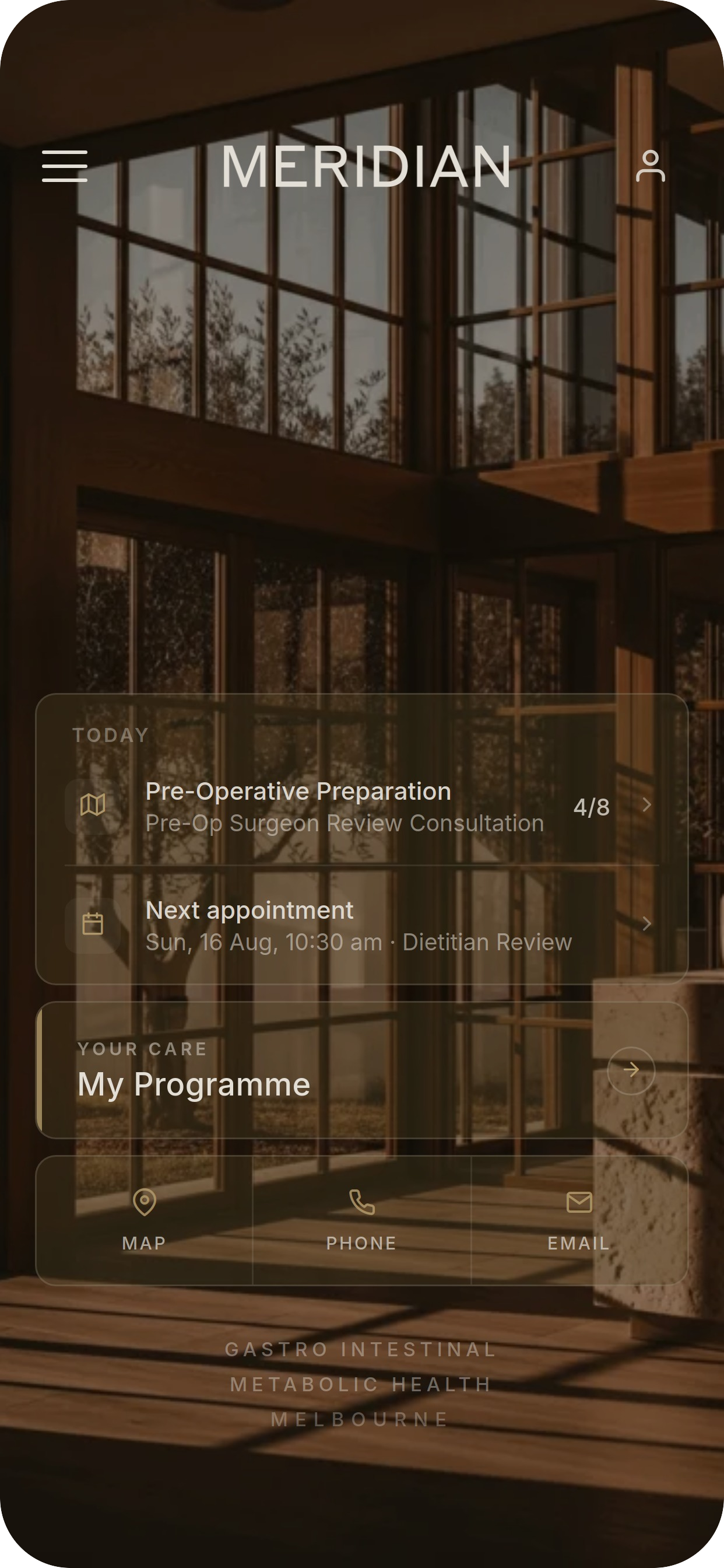
Your care journey, surfaced to the top
The home screen shows today’s tasks, your next appointment and a direct link into your care programme. Nothing is buried. Everything relevant to where you are in treatment appears at a glance, with direct access to the practice by map, phone or email.
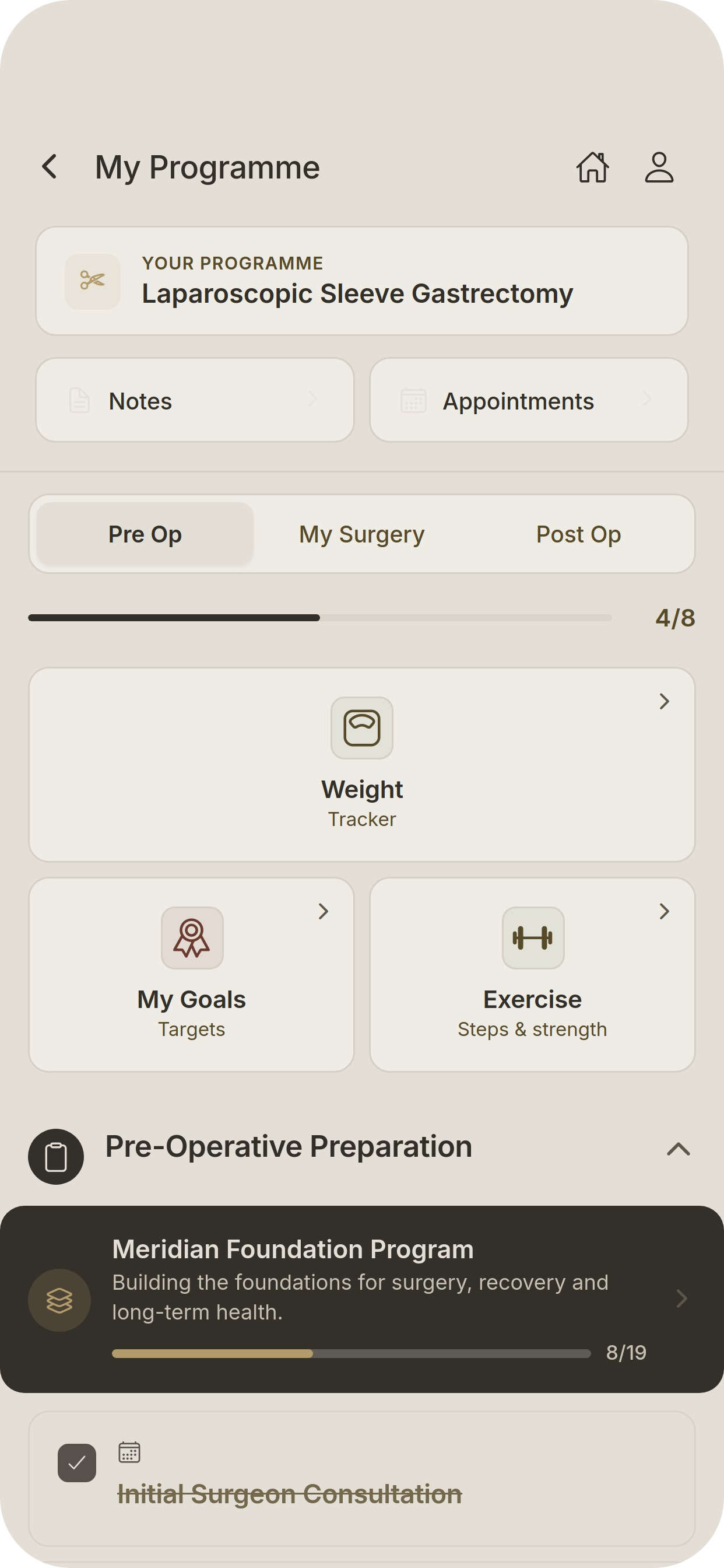
Know every step before and after surgery
A structured programme walks you through pre-operative, surgical and post-operative phases. Progress is tracked in real time as you complete each milestone. You always know where you stand, what has been done, and what comes next.

Clear information, written for you
Conditions, procedures and care explained in plain language by the Meridian clinical team. Choose a basic summary or switch to detailed clinical information. Topics cover nutrition, investigations, perioperative care and more.
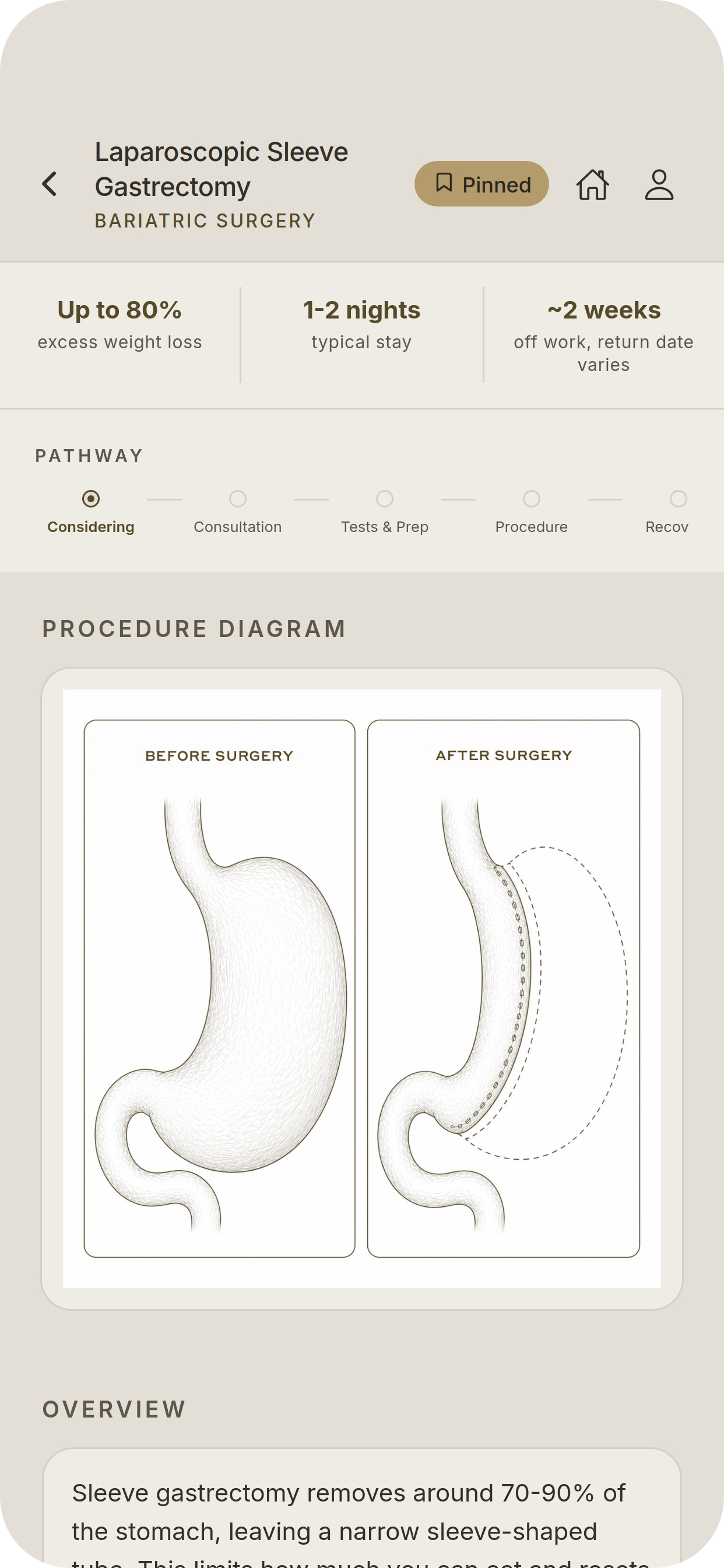
Your procedure, explained in detail
Each treatment page includes a procedure diagram, key statistics and a pathway timeline from initial consideration through to recovery. Pin the pages most relevant to you for quick access throughout your care.
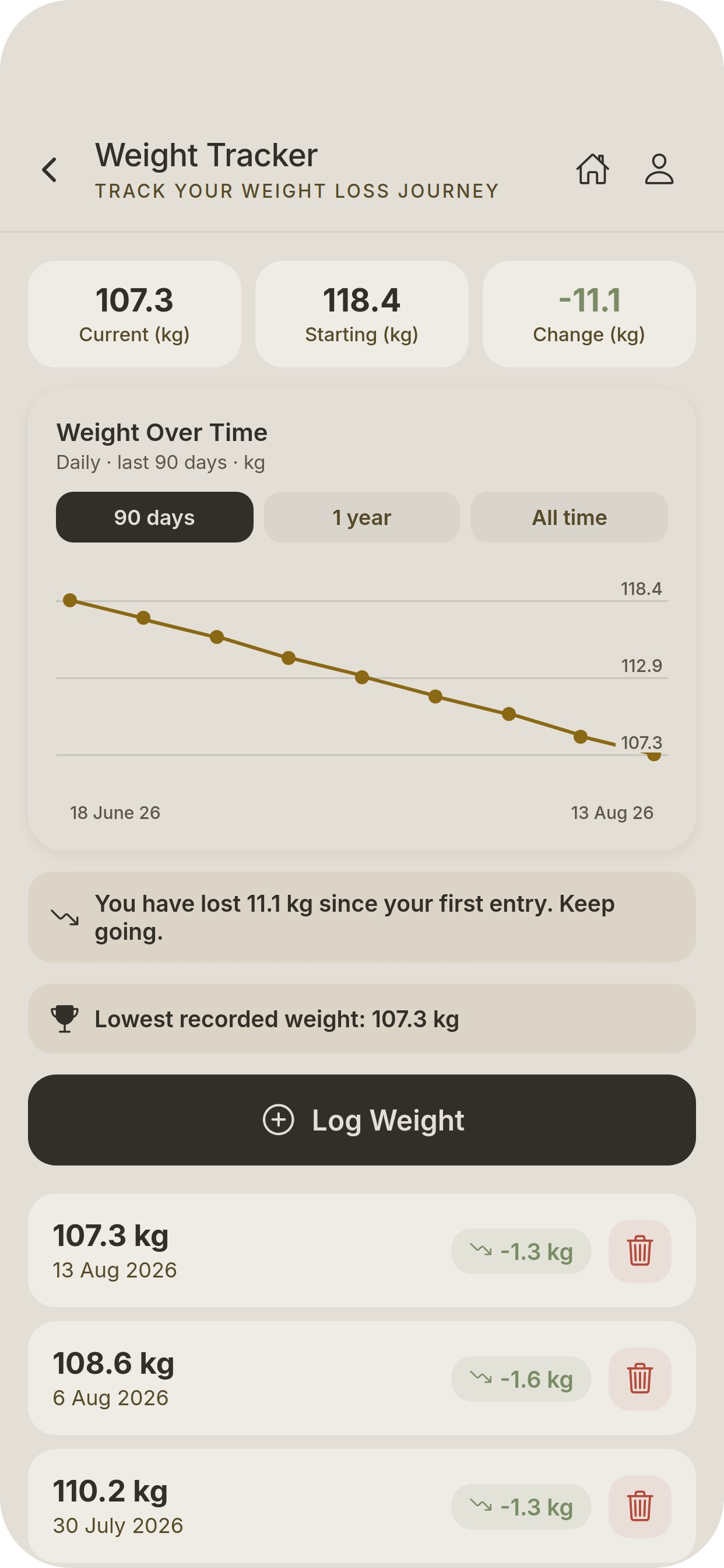
Track progress, celebrate milestones
Log your weight after each weigh-in and watch your trend over time. The tracker shows your change from starting weight, celebrates your lowest recorded result, and gives you a clear picture of momentum across 90 days, one year, or all time.

Message your care team securely
Ask questions and hear back from the people who actually know you. Replies come from your dietitian, surgeon or care coordinator by name, not a generic inbox. The team aims to respond by 1700 on the next business day.
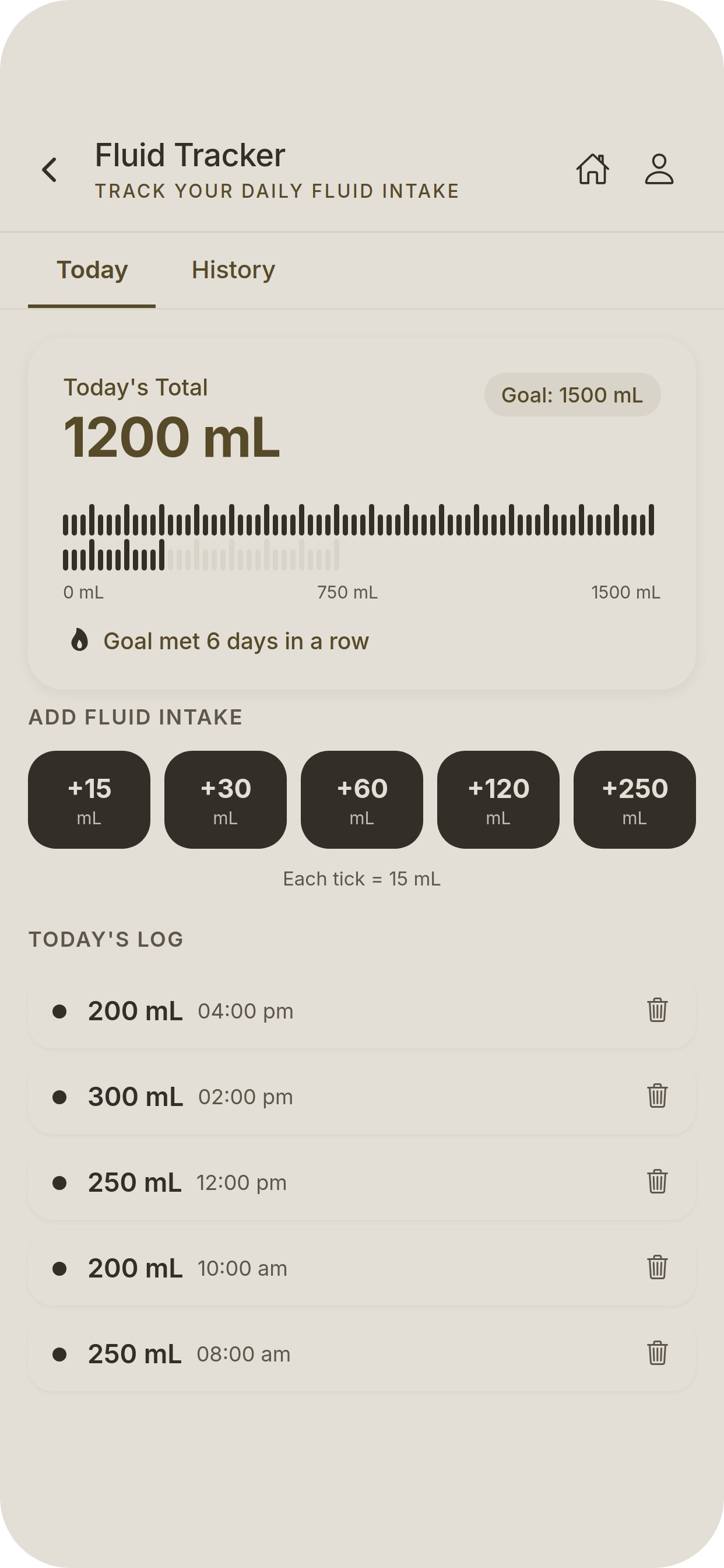
Hit your fluid goals, every day
Staying well hydrated is critical after metabolic bariatric surgery. The fluid tracker lets you log intake in one tap using quick-add buttons, tracks your daily goal and shows your streak. History records every entry so your team can see your patterns at review.
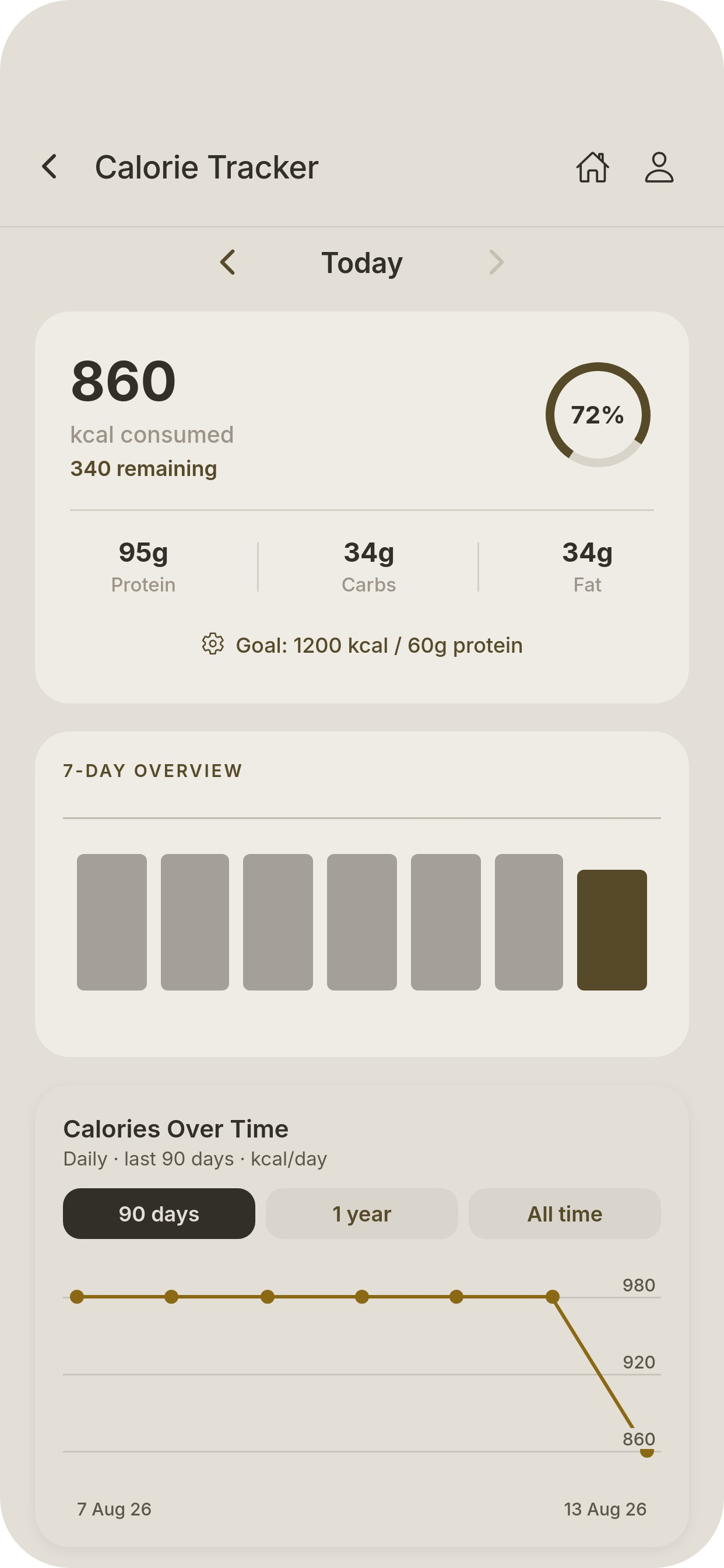
Nutrition tracking built for bariatric care
Track daily calories, protein and macros against goals set by your dietitian. A 7-day overview and long-term trend chart show how your intake is tracking over time, making every dietitian review more informed and productive.
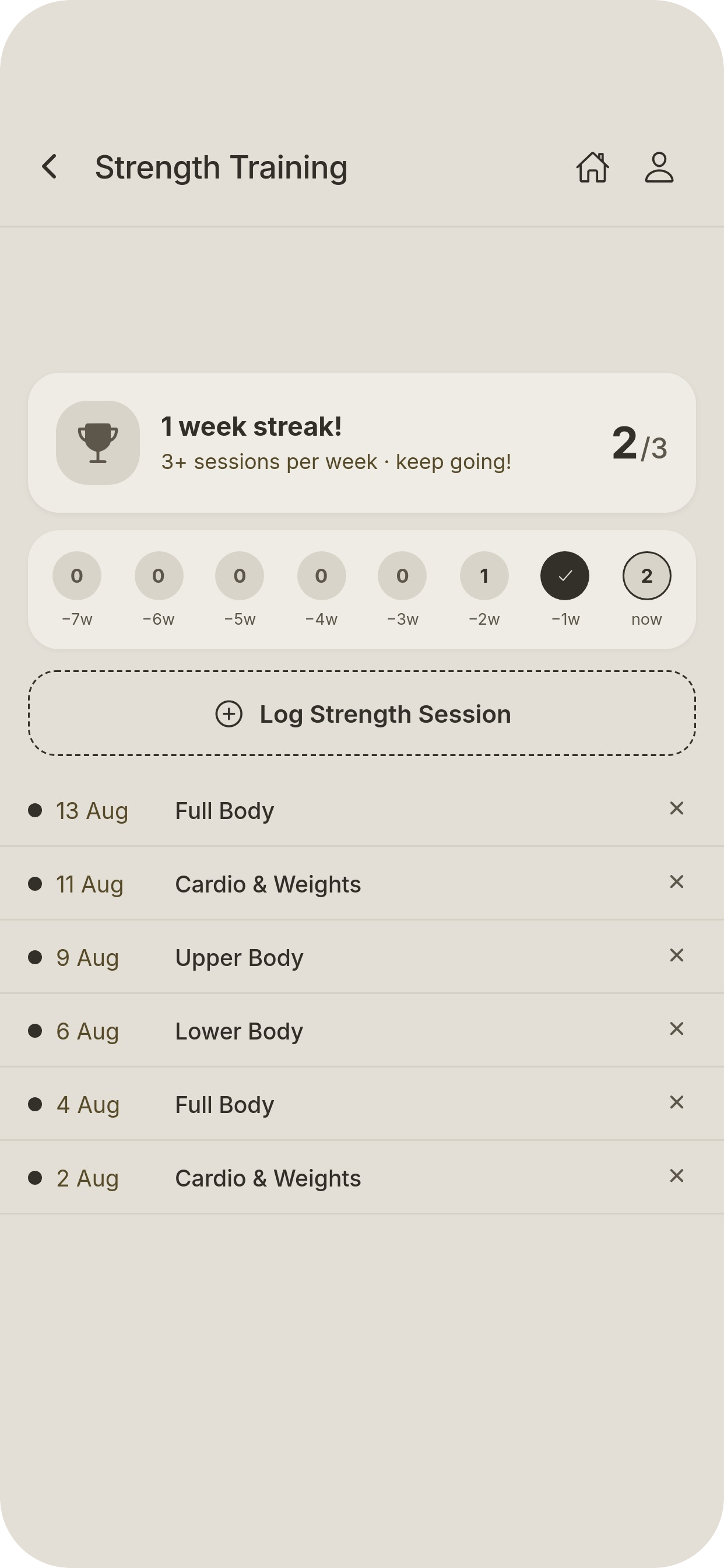
Build a training habit that sticks
Log strength sessions and track your weekly consistency over time. The streak counter and session history keep you accountable between appointments, while giving your exercise physiologist a clear record of where you are with training.

Your schedule, sent directly from the practice
Upcoming appointments appear here as soon as the practice books them. Add them to your calendar, set a reminder, or log your own appointments alongside those from the team. To change a practice-booked appointment, call the rooms directly.
Your record stays inside the practice. Where it should
The Meridian app is operated by Meridian Health. Patient data sits within the practice’s clinical system. It is not sold, shared with advertisers or used for any purpose outside your care.
Login is tied to your patient number and a private code. The app can be paused or deleted at any time, with no effect on your clinical care.
Scan to open the Meridian patient app
Point your phone camera at the code for your device.

iPhone · App Store

Android · Google Play